
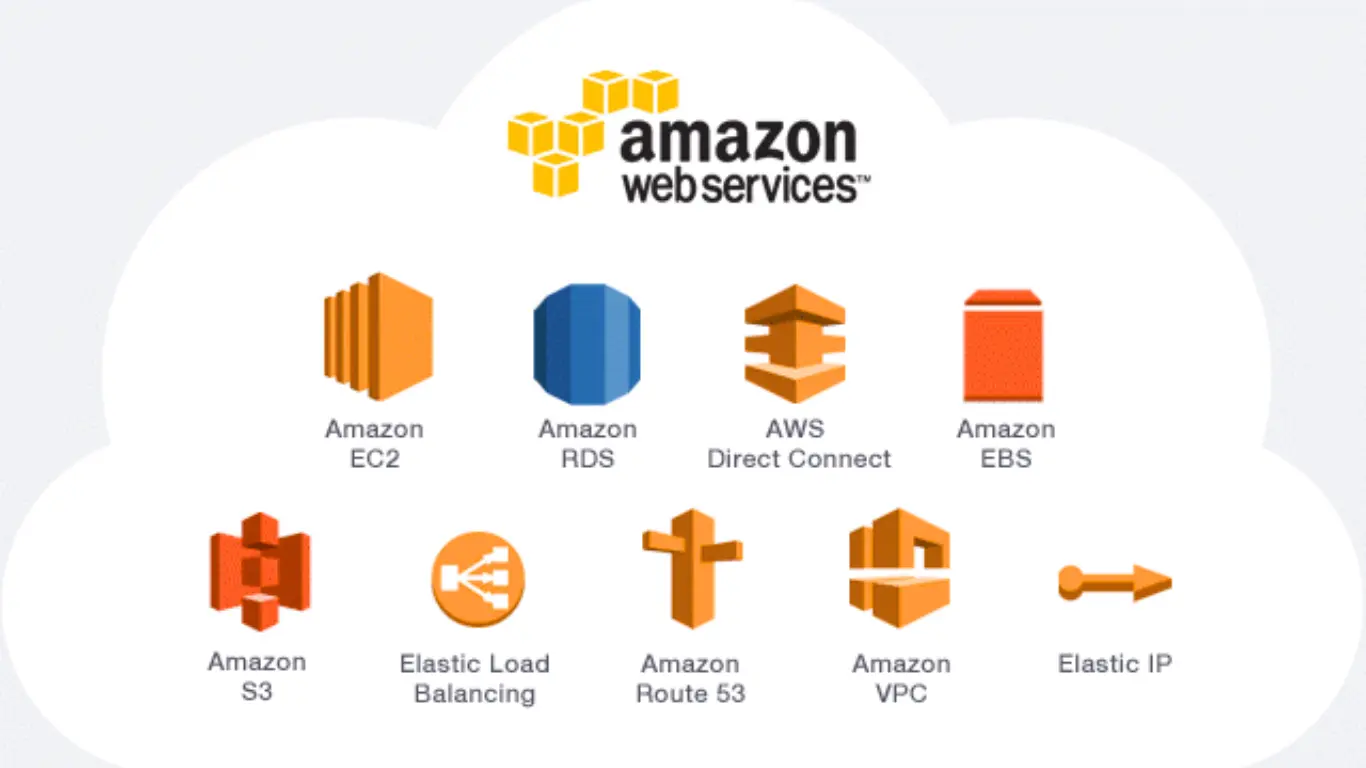
Cloud computing is the backbone of cloud infrastructure, and AWS Cloud has been at the forefront for startups and global enterprises, enabling organizations to build scalable, secure, and cost-effective applications that power websites, mobile apps, data analytics, and artificial intelligence workloads. Businesses are increasingly migrating to the cloud, driving growing demand for AWS skills. Mastering AWS Cloud provides access to some of the most sought-after IT careers in cloud computing. AWS provides flexible services and tools tailored to every level. Its pay-as-you-go model and global infrastructure make it easy to learn, experiment, and deploy real-world solutions.
This article provides a complete guide to learning AWS Cloud, including why it’s worth your time, how AWS architecture works, and how to get started safely with the Free Tier. Why AWS remains the leading cloud platform worldwide and how mastering it can accelerate your IT career.
Why choose AWS Cloud
Amazon Web Services (AWS), a cloud services provider, was founded in 2006 and began offering IT infrastructure services to businesses in the form of web services—commonly known as cloud computing. AWS is the world’s most comprehensive and broadly adopted cloud, offering over 200 fully featured services from data centers globally.
Who should Learn AWS Cloud
AWS is for everyone: beginners, IT professionals, and managers who want a lot of flexibility in designing daily tasks and leveraging cloud-native solutions to deliver scalable applications.
AWS Architecture
An AWS Region is a geographic area where AWS data centers are located. Each region is designed to be isolated from the other AWS Regions.
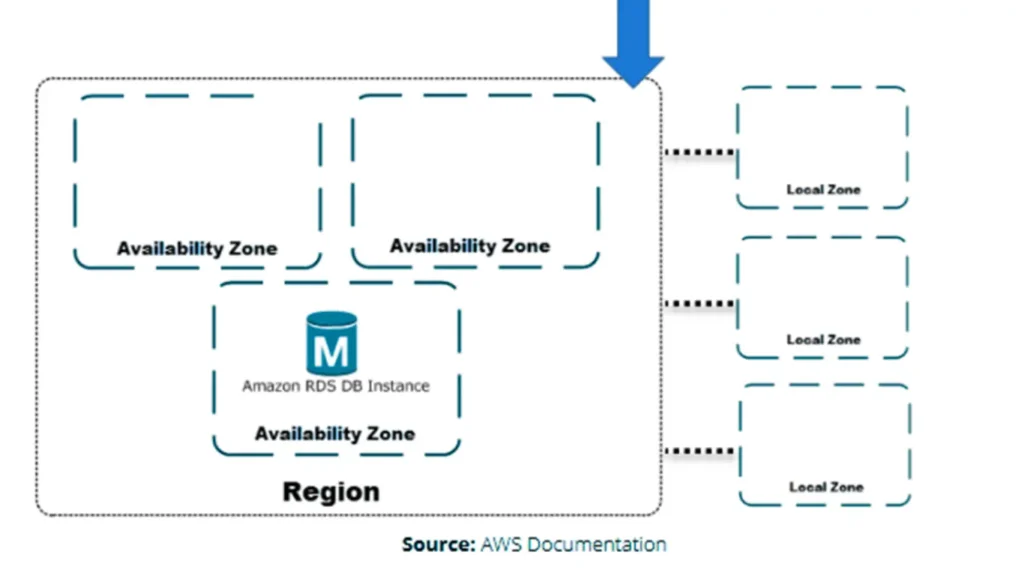
Availability Zone (AZ) is one or more discrete data centers with redundant power, networking, and connectivity in an AWS Region. It enables customers to deploy applications and databases in a highly available, fault-tolerant, and scalable environment.
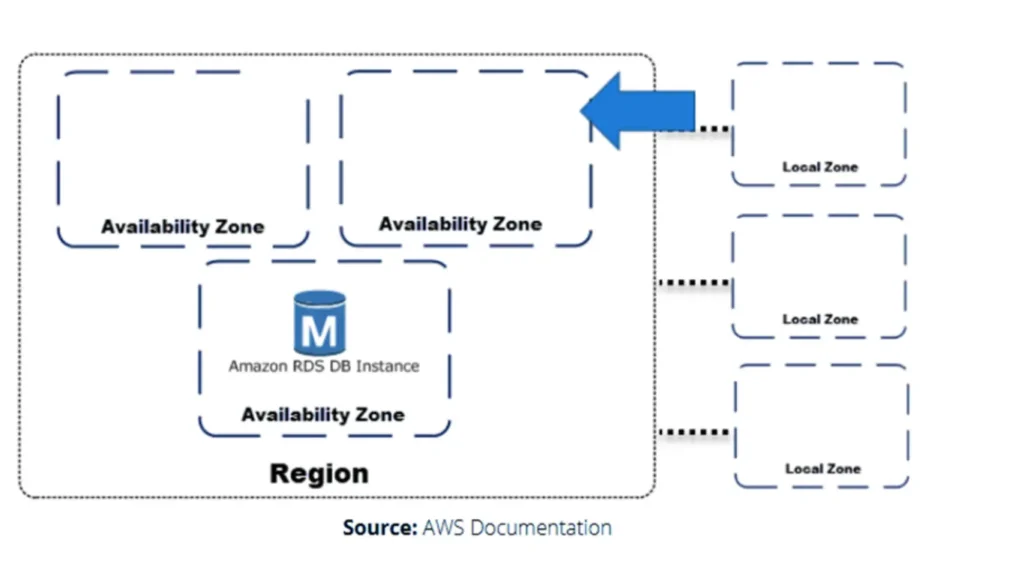
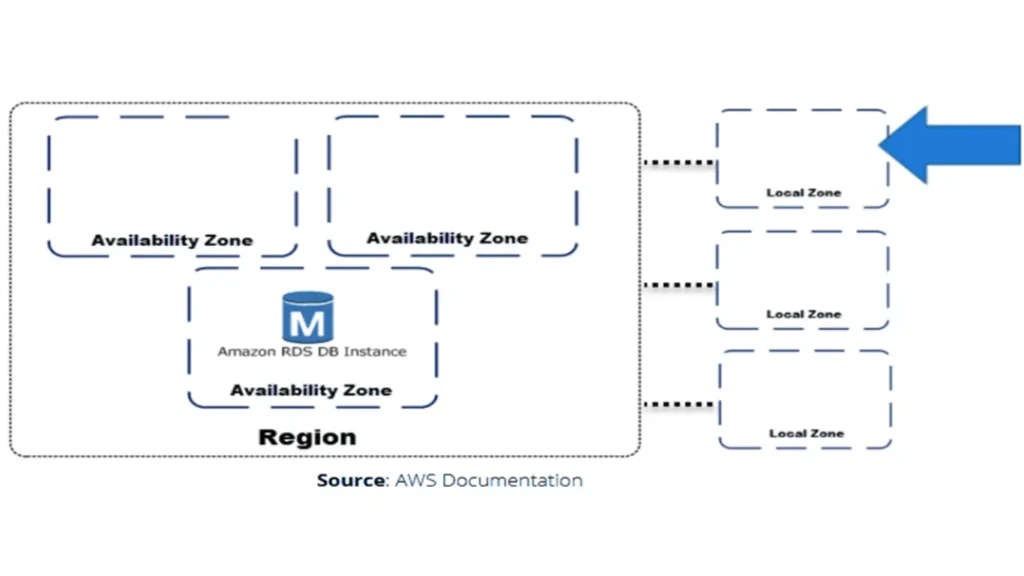
Local Zones are a type of infrastructure deployment that places select AWS services closer to your end users and workloads. You can extend any VPC from the parent AWS Region into Local Zones by creating a new subnet in a Local Zone, and your VPC is extended to that Local Zone. The subnet in the Local Zone operates the same as other subnets in your VPC.
When you create a DB instance, you can choose a subnet in a Local Zone. Local Zones have their internet connections and support AWS Direct Connect. Resources created in a Local Zone can serve local users with very low-latency communication.
A Local Zone is represented by an AWS Region code followed by an identifier indicating the location, for example, us-east-2-lax-1a.
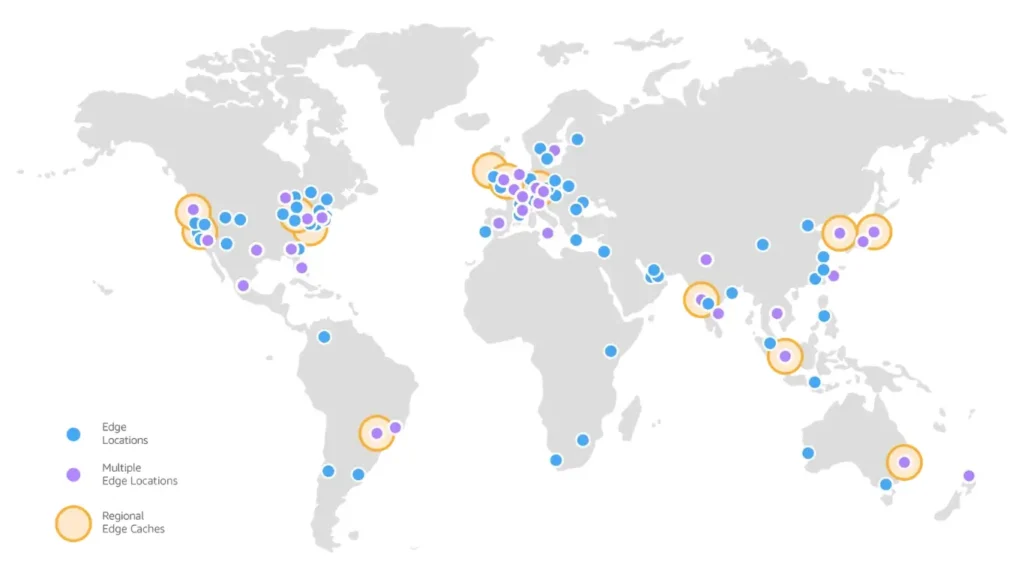
AWS edge networking services transmit user-facing data securely and with improved latency worldwide by moving traffic off the internet and behind the defenses of the world’s most secure cloud provider. You limit your exposure to attack by encrypting data, removing network hops, and controlling application access.
Networking services Amazon CloudFront, AWS Global Accelerator, and Amazon Route 53 sit at AWS global edge locations, connected by dedicated 100Gbps redundant fiber to deliver data with single-digit millisecond AWS network latency.
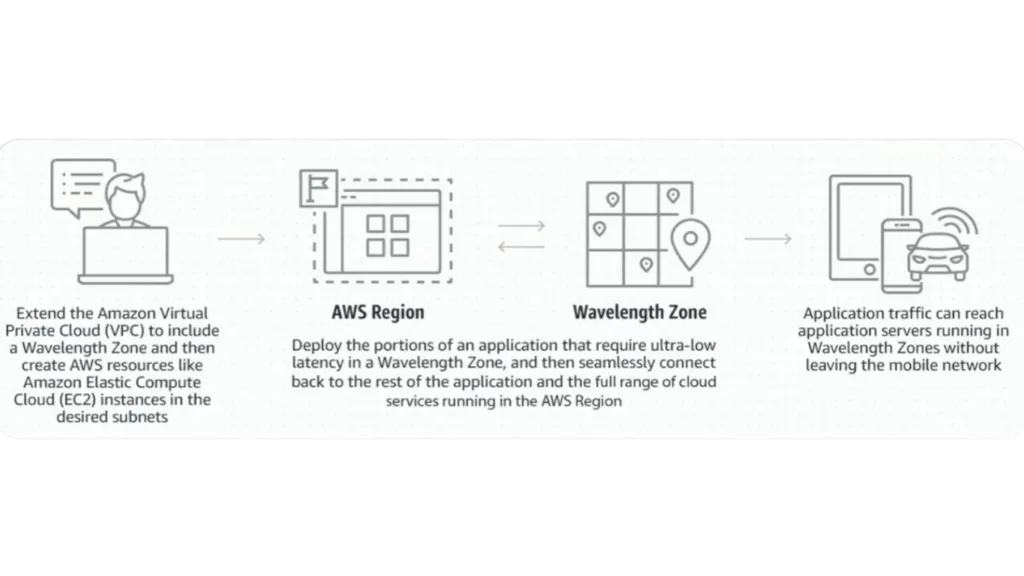
Wavelength Zone is an infrastructure optimized for mobile edge computing applications. Application traffic from 5G devices reaches application servers running in Wavelength Zones without leaving the telecommunications network.
How it works:
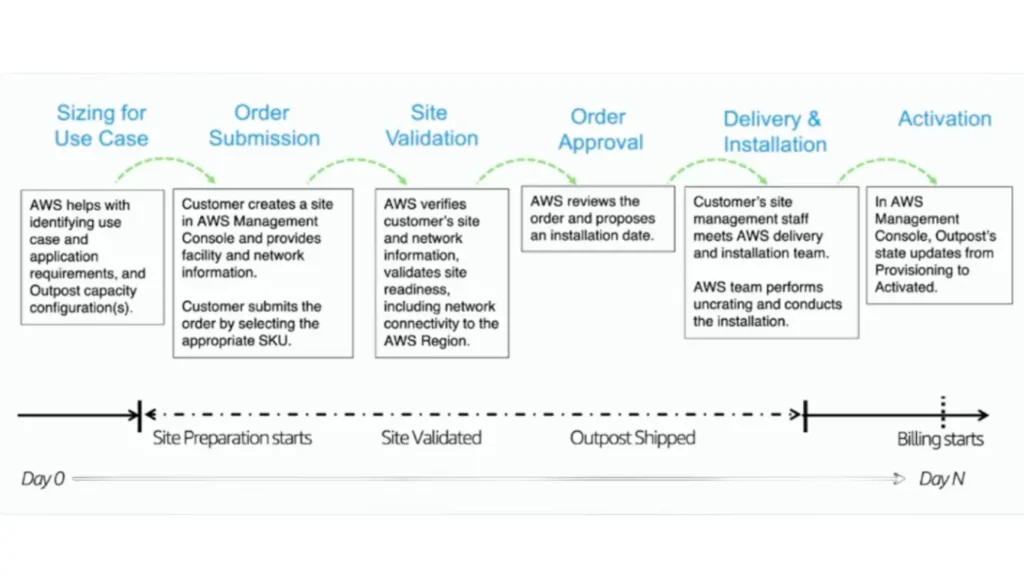
AWS Outposts is a fully managed solution that delivers AWS infrastructure and services to virtually any on-premises or edge location for a truly consistent hybrid experience. Outposts solutions allow you to extend and run native AWS services on premises.
Ordering, delivery, and installation process:
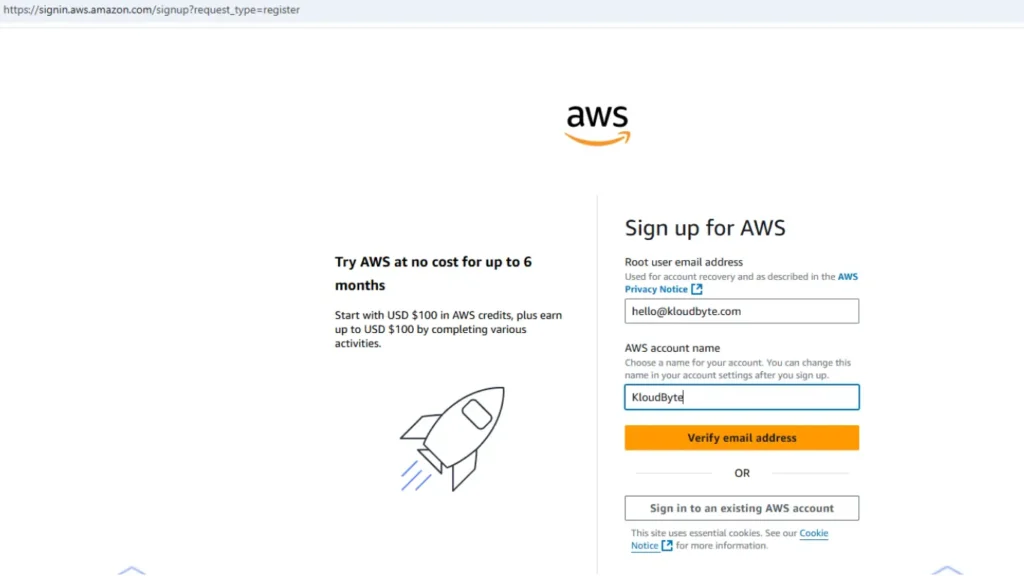
Creating an AWS Account
Open a web browser to access the AWS console. Click ‘Create a Free Account,’ then sign up with your email address and AWS account name to receive a confirmation code. Follow the next steps and choose an account plan.
AWS Core Services
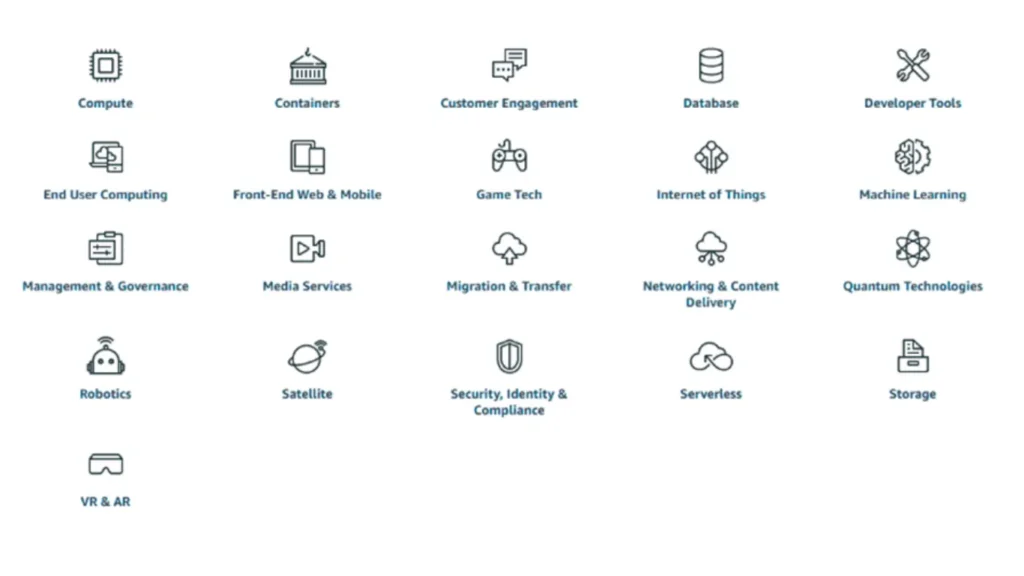
AWS offers many services across compute, containers, storage, databases, networking, content delivery, media services, and more.
Free Trial vs Always Free
Free trials start when first use begins, and once the trial period expires, you pay standard, pay-as-you-go service rates. These free-tier offers are only available to new AWS customers and remain valid for 12 months from your AWS sign-up date. Always Free tier offers do not automatically expire at the end of your 6-month AWS free tier term and are available to both existing and new AWS customers indefinitely.
Creating a Billing Alert
Use Amazon CloudWatch to create a billing alert that monitors your AWS resources and the applications you run on them in real time. When you enable monitoring of estimated charges for your AWS account, the estimates are calculated and sent to CloudWatch several times daily as metric data.
Conclusion
AWS Cloud is no longer optional for anyone serious about a career in modern IT, DevOps, or cloud computing, as its global infrastructure, flexible pricing, and over 200 fully managed services empower individuals and organizations to build highly available, fault-tolerant, and scalable systems. The architecture features, such as regions, availability zones, local zones, edge locations, and hybrid solutions like AWS Outposts, make AWS suitable for nearly every workload.
The AWS Free Tier allows beginners to explore cloud services safely while developing hands-on experience, and tools like Amazon CloudWatch help control costs through billing alerts and real-time monitoring. Whether your goal is career growth, certification, or building production-ready applications, AWS Cloud provides the skills, tools, and ecosystem needed to succeed in today’s cloud computing.

