
When teams start scaling DevOps practices, one of the first architectural decisions they face is how to structure version control for two very different types of code: application code and infrastructure code. Mixing the two in a single repository might seem convenient at first. Still, it quickly becomes a liability: different teams, different review cycles, and different risk profiles all collide in one place.
In this post, I’ll walk through a hands-on project called KloudGov, a hypothetical Software-as-a-Service platform for government organizations, where I used AWS CodeCommit principles and Git version control to build a clean, scalable repository structure. The project includes a full Proof of Concept (PoC) demonstrating the complete Git lifecycle: committing, pushing, and reverting code changes, the exact workflow you’d expect to see in a real production environment.
Why Separate Application and Infrastructure Repositories?
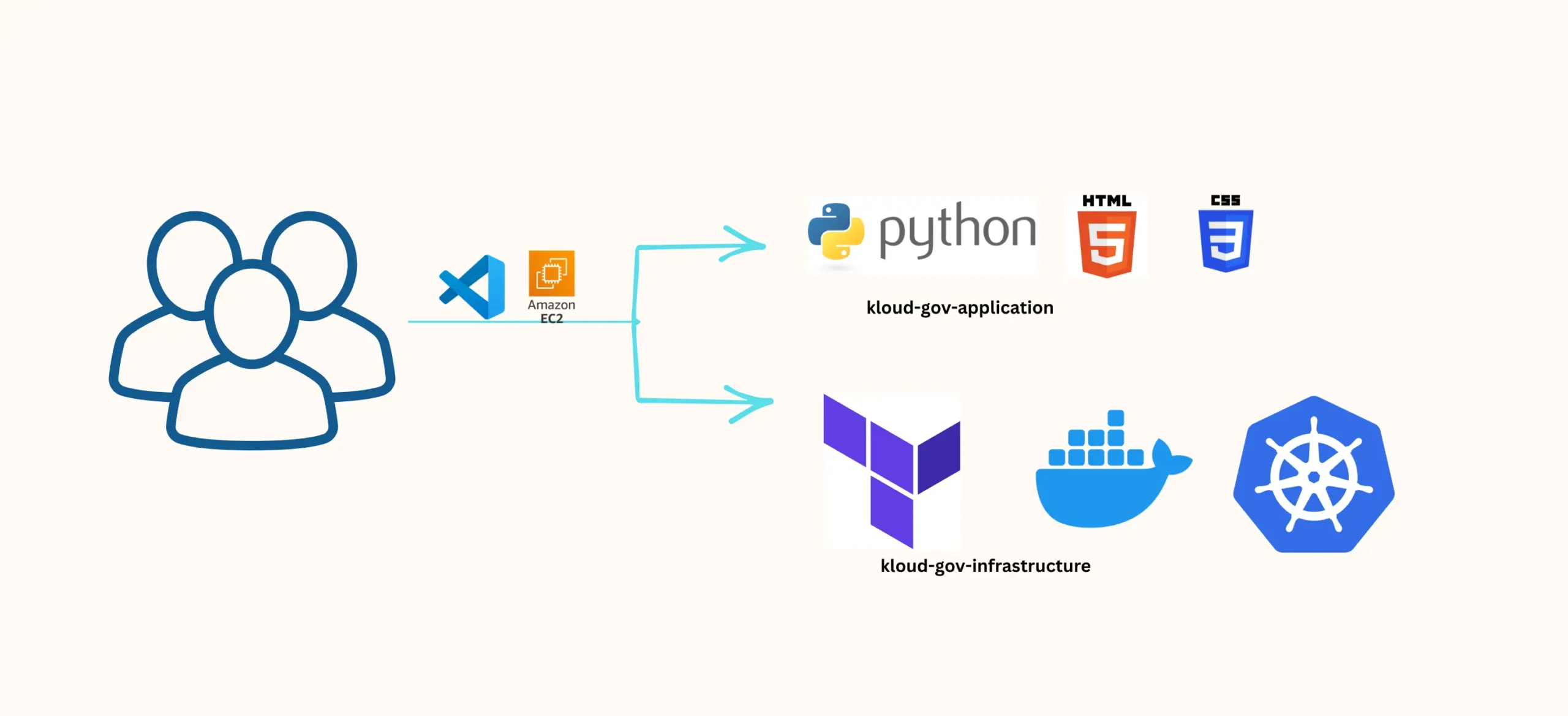
Before diving into the setup, it’s worth explaining the reasoning behind the architecture. The KloudGov project is split into two distinct repositories, each with a different audience and purpose:
Repository: kloud-gov-application
This repository holds the application code, built using:
Python (.py)
HTML (.html)
CSS (.css)
Description: Developers responsible for front-end design and application logic.
Repository: kloud-gov-infrastructure
This repository is dedicated entirely to infrastructure-as-code (IaC) and includes:
Terraform (.tf)
Ansible (.yaml)
Docker (Dockerfile)
Kubernetes (.yaml)
Description: DevOps Engineers responsible for provisioning, automation, packaging, and cloud infrastructure orchestration.
This separation isn’t arbitrary; it reflects a broader DevOps best practice. Application code changes frequently and is typically reviewed by developers. Infrastructure code changes less often but carries higher operational risk, so it deserves its own review process, its own access controls, and its own commit history. Keeping them apart makes audits cleaner, rollbacks safer, and team ownership clearer.
Development Environment
All work in this project was performed on an EC2 instance using Visual Studio Code as the IDE. This mirrors a realistic cloud engineering setup, where a DevOps engineer structures, edits, and pushes code directly from a remote development environment rather than a local machine.
Hands-On Objectives
The goals of this exercise were straightforward but important:
- Set up GitHub repositories for both application and infrastructure code.
- Perform
commit,push, andrevertoperations to validate the version control workflow. - Foster collaboration between developers and DevOps engineers.
- Demonstrate the practical importance of version control in managing change.
- Reinforce DevOps best practices around security, automation, and traceability.
Prerequisites
Before starting, you’ll need:
- A GitHub account (create one if you don’t already have it).
- An SSH key configured to allow the Git CLI to authenticate with private repositories.
Step 1: Creating Two Private Repositories on GitHub
The first step is creating two private repositories:
kloud-gov-applicationkloud-gov-infrastructure
Keeping these repositories private is important, especially for infrastructure code, since Terraform and Kubernetes manifests can reveal details about your cloud architecture that shouldn’t be publicly exposed.
Step 2: Git Configuration in Your IDE
With the repositories created, the next step is preparing the local Git environment on the EC2 instance.
Install Git:
sudo yum install git -y
Configure global Git user information:
git config --global user.name "Your Name - DevOps Engineer"
git config --global user.email "youremail@kloudgov.com"
This step ensures every commit is properly attributed, a small detail, but a critical one for traceability in team environments.
Step 3: Cloning the GitHub Repositories
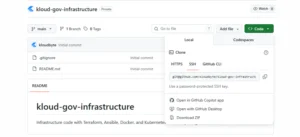
Once configured, clone both repositories using their SSH links:
# Cloning repo: 'kloud-gov-infrastructure'
git clone git@github.com/YOUR-USERNAME/kloud-gov-infrastructure.git

# Cloning repo: 'kloud-gov-application'
git clone git@github.com/YOUR-USERNAME/kloud-gov-application.git

# Listing repositories
ls
At this point, both repositories are locally available and ready for development work.
Proof of Concept: Commit, Push, and Revert in Action
Setting up repositories is only half the story. The real value of version control shows up when things go wrong and how quickly a team can recover. To demonstrate this, I simulated two developer personas working on the same repository, which is exactly how most real teams operate.
Step 1: Simulating Developer 1’s Work Environment
First, configure the Git identity for Developer 1:
git config --global user.name "Software Developer 1"
git config --global user.email dev1@kloudgov.com
Navigate into the application repository:
cd kloud-gov-application
git status
Create the initial index.html file:
nano index.html
<!DOCTYPE html>
<html>
<head>
<title>KloudGov Website</title>
</head>
<body>
<header>
<h1>Welcome to KloudGov!</h1>
<nav>
<ul>
<li><a href="#">Home</a></li>
<li><a href="#">About</a></li>
<li><a href="#">Contact</a></li>
</ul>
</nav>
</header>
<main>
<p>This is a PoC for the KloudGov Git Repository.</p>
</main>
<footer>
<p>KloudGov. All rights reserved.</p>
</footer>
</body>
</html>
Stage and commit the file:
git status
git add .
git commit -m "First commit"
git push -u origin main
At this stage, the initial commit is validated directly on GitHub, confirming the file was pushed successfully.
Step 2: Simulating an Application Adjustment (and a Mistake)
Real-world development isn’t perfect; mistakes happen, and this PoC intentionally simulates one. Developer 1 introduces a typo while editing the header tag:
<!-- Before -->
<h2>Welcome to KloudGov!</h2>

<!-- After (typo introduced) -->
<h2>WWelcome to KloudGov!</h2>
The change is committed and pushed as usual:
git status
git add .
git commit -m "Changed header size."
git push -u origin main
This step is intentional; it sets up the next part of the PoC, where a second developer catches and fixes the issue using Git’s built-in tools rather than manually rewriting the file.
Step 3: Simulating Developer 2’s Work Environment
Now a second developer enters the picture, configured with their own Git identity:
git config --global user.name "Software Developer 2"
git config --global user.email dev2@kloudgov.com
They access the same repository to investigate:
cd kloud-gov-application
git status
Step 4: Reverting the Last Commit
This is the core of the PoC using git revert to safely undo a problematic commit without destroying history:
git log
git revert <hash>
Depending on the editor that opens for the revert commit message:
# From "vi" Editor, run:
:x

# From "Nano" Editor, run:
CTRL + X
Y [ENTER]
After reverting, Developer 2 corrects the header properly:
<h2>Welcome to KloudGov!</h2>
And finalizes the fix with a clean commit:
git status
git add .
git status
git commit -m "Fixed header size"
git push -u origin main
Why This Matters: Version Control as a Safety Net
This exercise demonstrates something every DevOps engineer eventually learns firsthand: version control isn’t just a backup mechanism; it’s an operational safety net. git revert doesn’t erase mistakes; it documents them, corrects them, and preserves a full audit trail of exactly what happened and who fixed it.
For teams managing infrastructure at scale, this kind of traceability isn’t optional. It’s the difference between a five-minute fix and a stressful, undocumented scramble when something breaks in production.
Evidence and Validation
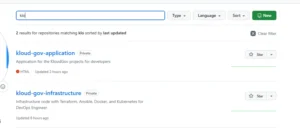
To close the loop on this PoC, both repositories were verified directly on GitHub:
kloud-gov-application — showing the full commit history, including the initial commit, the introduced typo, and the reverted fix.
kloud-gov-infrastructure — set up and ready for Terraform, Ansible, Docker, and Kubernetes code as the project scales.
Once validated, the final step is simple but easy to forget: stop your IDE/EC2 instance to avoid unnecessary compute costs.
Key Takeaways
- Separating application and infrastructure code into distinct repositories improves security, clarity, and team ownership.
- A well-configured Git environment on EC2 with VS Code mirrors real-world cloud engineering workflows.
commit,push, andrevertform the foundation of safe, traceable collaboration between developers and DevOps engineers.- Practicing this PoC before working in production gives teams confidence to handle real incidents without panic.
Whether you’re building out a similar GovTech platform or just strengthening your own Git and AWS CodeCommit fundamentals, this workflow is a solid foundation to build on. Next up, I’ll be exploring branching strategies and CI/CD pipeline integration on top of this exact repository structure. Stay tuned.

