
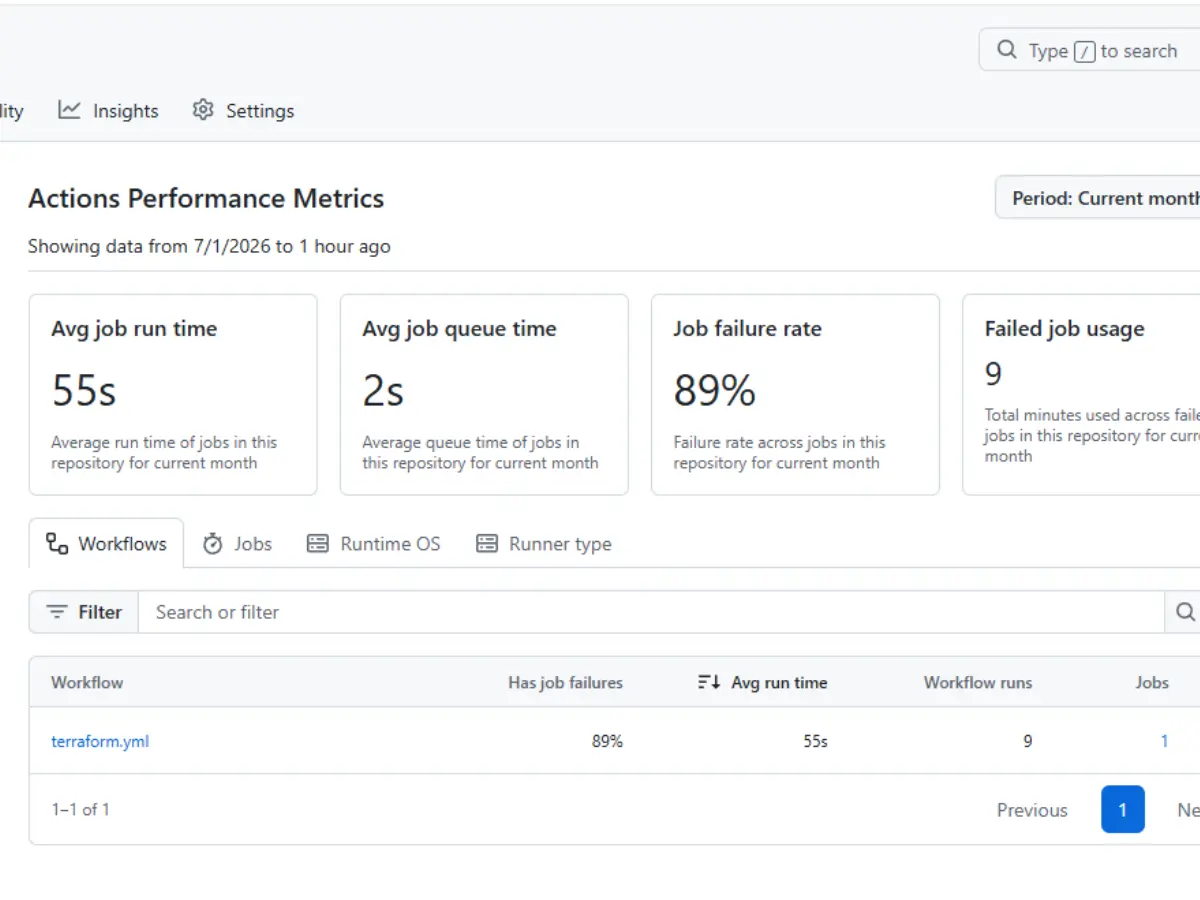
Every Terraform and GitHub Actions tutorial online shows you the same thing: a clean, working IAM policy, pasted in as if it arrived fully formed. What none of them show you is the twenty minutes, or in my case, the better part of an afternoon, of AccessDenied errors that come before that policy exists in its final form.
This is a companion piece to my three-part KloudGov series, where I built a reusable Terraform module structure (Part 1), secured remote state with S3 and DynamoDB (Part 2), and automated the whole thing with a GitHub Actions CI/CD pipeline using OIDC authentication (Part 3). That pipeline now runs cleanly end-to-end. Getting there required debugging seven distinct IAM permission errors, none of which appear in AWS’s own Terraform provider documentation. This post walks through that exact troubleshooting sequence not because it’s flattering, but because it’s genuinely the missing piece in most tutorials on this topic.
The Setup That Led Here
Quick context for what was already in place before this debugging session started:
A GitHub Actions workflow (terraform.yml) running terraform plan on pull requests and terraform apply on merges to main.
AWS credentials handled via OIDC federation; no static access keys stored anywhere, just a GitHub identity provider trusted by an IAM role.
A role, kloudgov-terraform-apply-main, scoped to trust only the main branch of the kloud-gov-infrastructure repo.
A least-privilege inline policy, hand-written to cover exactly the EC2, S3, and DynamoDB actions the Terraform configuration explicitly declares.
That last point turned out to be the whole problem. “Exactly what the configuration declares” and “everything the AWS provider actually does under the hood” are two very different lists, and nobody publishes the gap between them.
Failure 1: A Structural YAML Error
Before any AWS call happened at all, the workflow file itself was invalid:
permissions:
  id-token: write
  contents: read

steps:                          # ← invalid at this nesting level
  - uses: aws-actions/configure-aws-credentials@v4
    ...

jobs:
  terraform:
    ...
GitHub Actions only accepts a steps: key nested inside jobs.<job_id>.steps, never at the workflow root. The fix was moving the entire step block inside the terraform job, right after checkout:
jobs:
  terraform:
    runs-on: ubuntu-latest
    permissions:
      id-token: write
      contents: read
    steps:
      - uses: actions/checkout@v4
      - uses: aws-actions/configure-aws-credentials@v4
        with:
          role-to-assume: arn:aws:iam::<ACCOUNT_ID>:role/kloudgov-terraform-apply-main
          aws-region: us-east-1
      # ...remaining Terraform steps
Lesson: a workflow file can look almost right and still fail before a single AWS API call happens. Always validate structure before chasing permissions.
Failure 2: OIDC Authentication Rejected
Once the YAML was valid, the first real AWS-facing error appeared:
Could not assume role with OIDC: Not authorized to perform sts:AssumeRoleWithWebIdentity

This wasn’t a permissions problem in the traditional sense; it was a trust policy mismatch. Two separate issues were hiding in the role’s trust relationship:
The account ID in the workflow’s role-to-assume ARN was 10 digits instead of the required 12 a straightforward typo.
The trust policy’s sub condition was malformed:
"repo:kloudbyte//kloudbyte/kloud-gov-infrastructure:ref:refs/heads/main"
Note the doubled organization name and stray slash; this should have read simply repo:kloudbyte/kloud-gov-infrastructure:ref:refs/heads/main. There was also a duplicate entry in the sub array, left over from an earlier edit that added rather than replaced a condition.
Lesson: OIDC federation errors are rarely an IAM permissions issue; they’re a trust policy issue. Before touching the role’s permission statements, check the Federated principal, the aud condition, and especially the sub claim character by character. A single duplicated slash breaks the whole match.
Failures 3 Through 8: The Implicit Permissions Problem
With OIDC fixed, credentials started flowing correctly, and a new category of error began, one after another, across every single service the pipeline touched:
not authorized to perform: dynamodb:DescribeContinuousBackups
not authorized to perform: s3:GetBucketPolicy
not authorized to perform: s3:GetBucketObjectLockConfiguration
not authorized to perform: ec2:DescribeNetworkInterfaces
not authorized to perform: ec2:RevokeSecurityGroupEgress
not authorized to perform: ec2:DescribeInstanceTypes
not authorized to perform: ec2:DescribeVolumes
not authorized to perform: ec2:DescribeInstanceCreditSpecifications

Each of these followed the same pattern: a real resource was actually being created or refreshed successfully an S3 bucket, a DynamoDB table, an EC2 instance and then the Terraform AWS provider made an additional internal call to fully reconcile that resource’s state, which the hand-written policy hadn’t anticipated.
Why This Happens
This is the part that isn’t clearly documented anywhere. The Terraform AWS provider doesn’t just call the specific actions your .tf resource blocks reference. To build a complete picture of a resource’s state for drift detection, for safe destroy sequencing, and for populating computed attributes, it makes a series of read-only reconciliation calls that have nothing to do with what you explicitly declared:
Creating an aws_dynamodb_table? The provider also checks DescribeContinuousBackups and DescribeTimeToLive, even if your config never touches either feature.
Creating an aws_s3_bucket? The provider checks bucket policy, ACL, versioning, encryption, lifecycle rules, object lock configuration, and more regardless of whether your .tf file configures any of them.
Creating an aws_security_group with only ingress rules? The provider still tries to reconcile the default egress rule AWS creates automatically, which requires RevokeSecurityGroupEgress even though your configuration never mentions egress.
Deleting a security group during a destroy-and-recreate cycle? The provider first checks for attached network interfaces via DescribeNetworkInterfaces, since AWS won’t allow a security group to be deleted while ENIs are still attached.
Creating an aws_instance? The provider validates the instance type (DescribeInstanceTypes), checks attached block devices (DescribeVolumes), and, for burstable instance families such as t2.micro/t3.micro, checks CPU credit specifications (DescribeInstanceCreditSpecifications).
None of this is in the Terraform AWS provider’s official IAM permissions reference in any single, complete list. It’s scattered across provider source code, GitHub issues, and forum posts, which is exactly why this debugging process took as many rounds as it did.
The Turning Point: When to Stop Micro-Patching
After the sixth individually discovered missing permission, a different question became more useful than “what’s the next missing action”: is there a smarter way to draw this boundary?
Enumerating every implicit Describe*/Get* call one failed pipeline run at a time isn’t sustainable, and it doesn’t actually make the policy more secure; it just slows debugging. The better line to draw:
Every action that reads state — Describe*, Get*, List* is inherently non-destructive. Widening these to a service-level wildcard doesn’t grant any new capability, since none of them can create, modify, or delete anything.
Every action that writes state — creates, deletes, modifies — stays explicitly enumerated and scoped by resource ARN wherever AWS supports it.
That reframing collapsed what would have been another five or six rounds of individual permission discovery into a single policy update:
{
  "Sid": "EC2ReadOnly",
  "Effect": "Allow",
  "Action": "ec2:Describe*",
  "Resource": "*"
},
{
  "Sid": "DynamoDBReadOnly",
  "Effect": "Allow",
  "Action": [
    "dynamodb:Describe*",
    "dynamodb:List*",
    "dynamodb:GetItem"
  ],
  "Resource": "arn:aws:dynamodb:us-east-1:<ACCOUNT_ID>:table/kloudgov-*"
},
{
  "Sid": "S3TenantBucketsRead",
  "Effect": "Allow",
  "Action": [
    "s3:Get*",
    "s3:ListBucket"
  ],
  "Resource": "arn:aws:s3:::kloudgov-*"
}
Paired with explicitly enumerated write actions — RunInstances, TerminateInstances, CreateSecurityGroup, CreateTable, DeleteBucket, and so on this is still a genuinely least-privilege policy. It just draws the line at read vs. write, rather than at the exact subset of reads one engineer happened to anticipate.
Key Takeaways
Trust policy errors and permission errors look identical in the logs but require completely different fixes. AssumeRoleWithWebIdentity failures live in the role’s trust relationship (account ID, sub claim, aud condition), not in its permission statements.
The Terraform AWS provider makes far more API calls than your .tf file implies. Every resource type has its own set of implicit reconciliation reads, and there’s no single authoritative list of them.
A clean terraform plan with a full resource diff doesn’t guarantee a clean apply. Plan and apply can fail due to completely different permission gaps, since apply performs additional lifecycle actions that plan only simulates.
Read-only actions (Describe*, Get*, List*) are a reasonable place to widen scope, because doing so adds visibility, not capability. Reserve tight, resource-scoped enumeration for anything that creates, modifies, or deletes.
Six or seven individually discovered missing permissions is a signal, not just bad luck. When you’re patching the same category of gap repeatedly, that’s the moment to restructure the policy rather than keep enumerating one action at a time.
Where This Leaves the KloudGov Pipeline
The end state is a fully working, OIDC-authenticated CI/CD pipeline that runs terraform plan on every pull request and terraform apply automatically on merge to main with an IAM policy that’s tight on every action capable of changing infrastructure, and appropriately open on everything that only reads it. Combined with the reusable module structure from Part 1 and the secure remote state from Part 2, this closes out the KloudGov series as a genuinely production-shaped Infrastructure as Code workflow, debugged the way real pipelines actually get debugged: one honest error message at a time.

