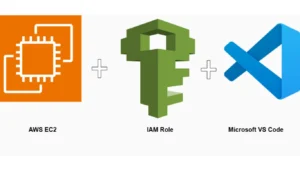
In this lab, you get a step-by-step guide to create and build a secure, scalable cloud IDE solution to replace AWS Cloud9 using EC2, IAM Role (no access keys), and VS Code Remote SSH.
Lab Prerequisites to Create an IDE Solution
- AWS account
- Local machine with VS Code installed
- SSH key pair
- Basic AWS IAM & EC2 knowledge
Step 1: Launch an AWS EC2 Instance
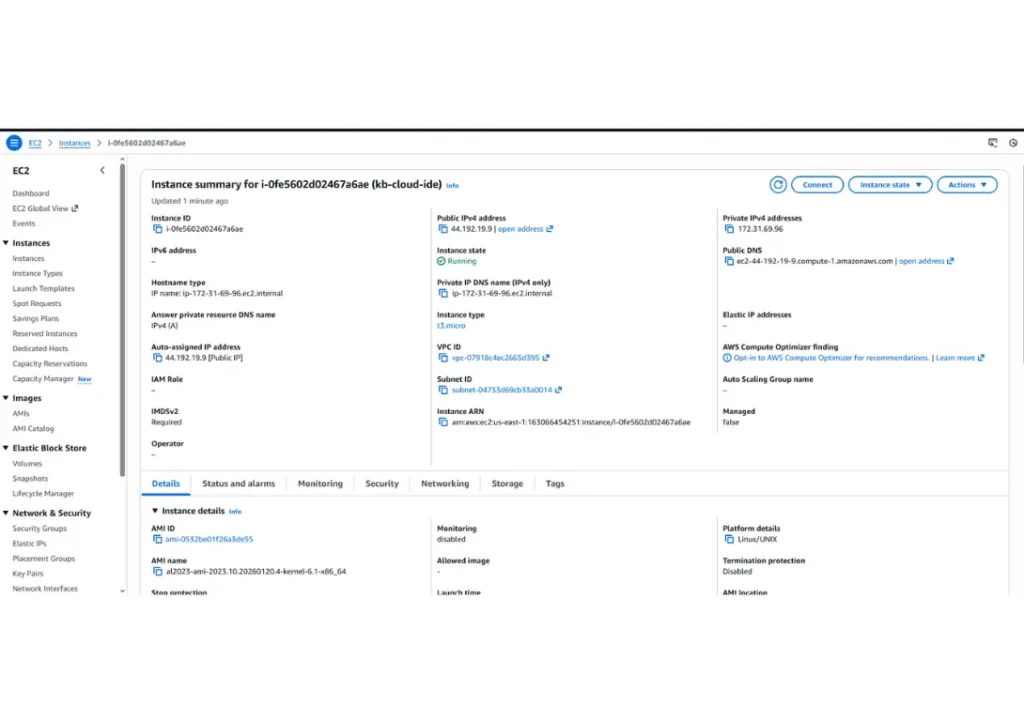
Go to EC2 → Launch instance
Name: kb-cloud-ide
Select AMI: Amazon Linux 2023 or Ubuntu 22.04
Instance type:
- t3.micro (free tier)
- t3.medium
Create or select an SSH key pair.
Security Group:
- Allow SSH (22) from your IP only
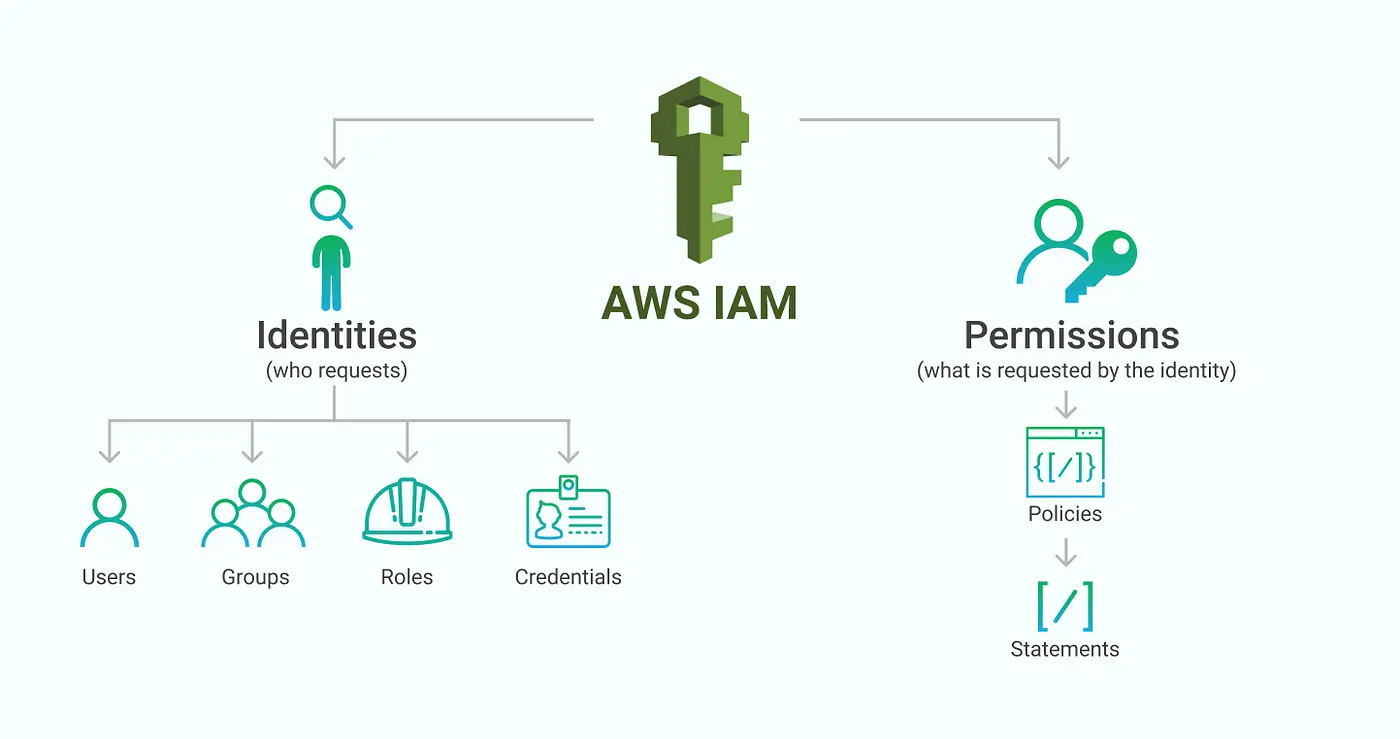
Step 2: Create an IAM Role for EC2
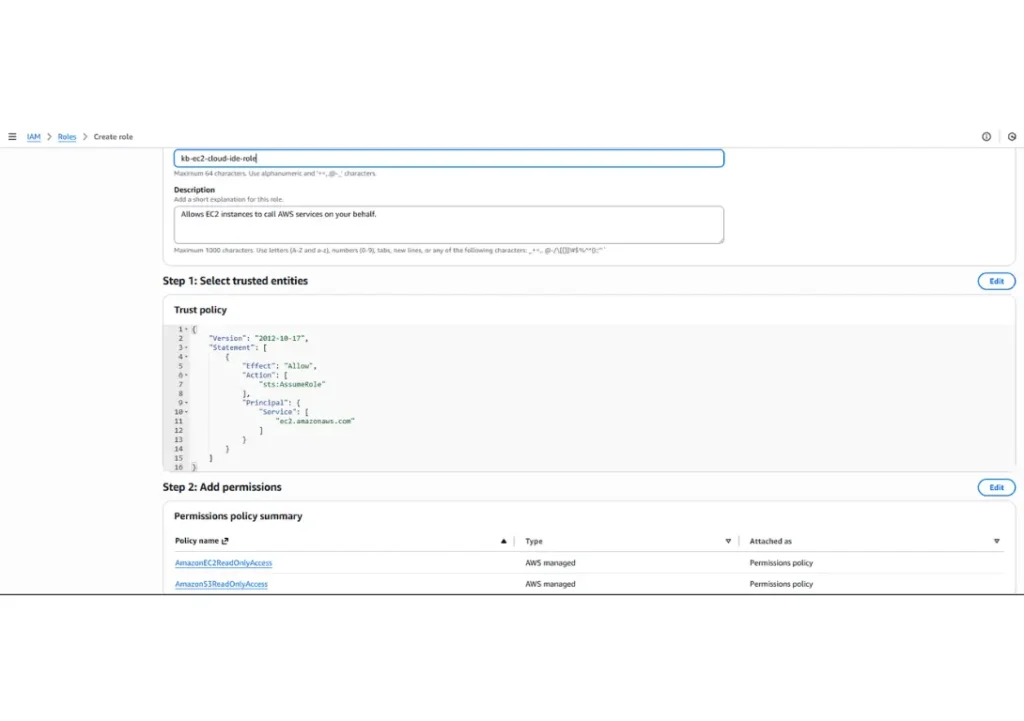
Go to IAM → Roles → Create role
Trusted entity: AWS service
Select EC2 as the service or use case.
Attach the following example policies: (For least privilege setups)
- AmazonS3ReadOnlyAccess
- AmazonEC2ReadOnlyAccess
Name the role kb-ec2-cloud-ide-role.
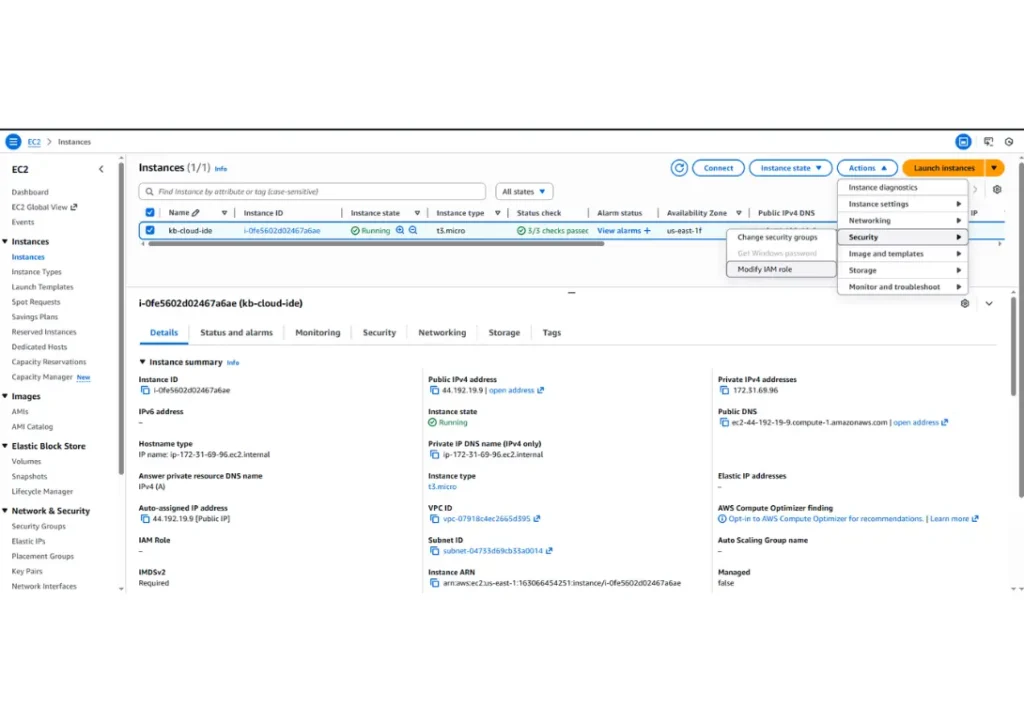
Attach the role to your EC2 instance. EC2 can access AWS services securely without credentials
Step 3: Install VS Code Remote—SSH Extension
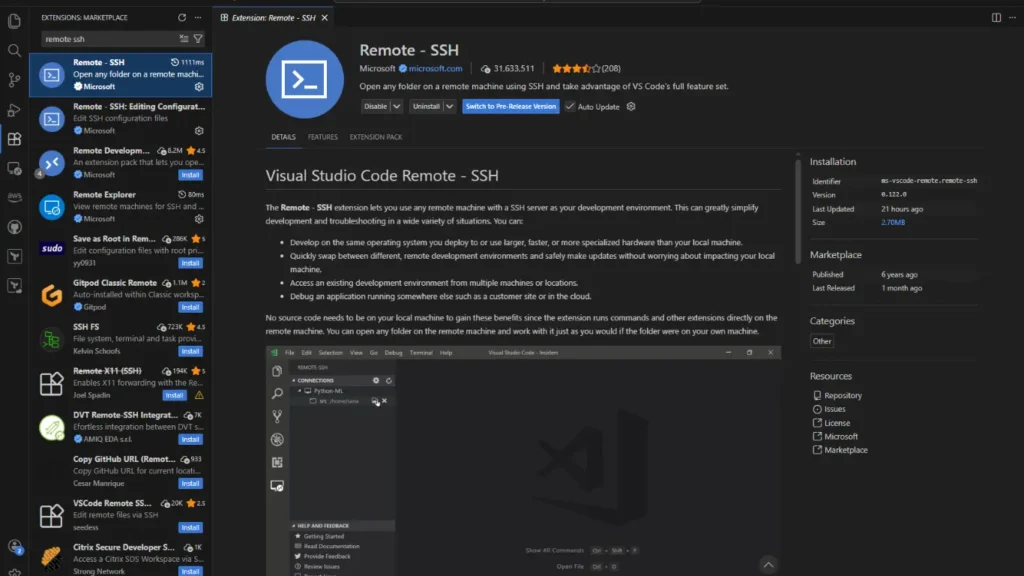
Install VS Code on your local computer. Open VS Code and search for remote SSH.
Extensions → Install Remote – SSH.
Step 4: Prepare the EC2 Instance
SSH to the EC2 instance.
ssh -i your-key.pem ec2-user@<public-ip>
Install core tools
sudo yum update -y
sudo yum install git -y
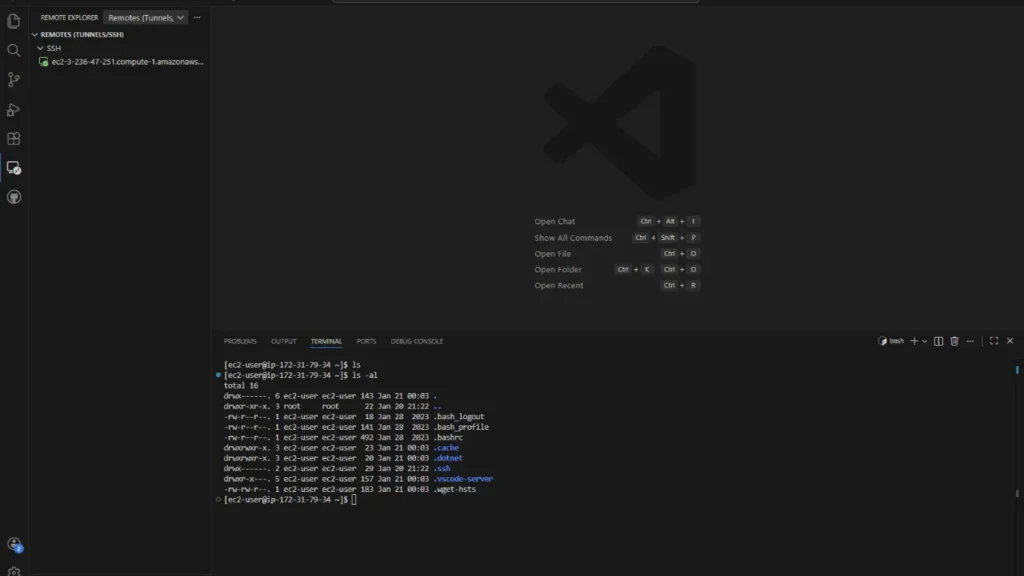
EC2 is now a fully functional dev machine.
Production Security Hardening Checklist
Use this before production or client environments.
EC2 & Network Security
☐ Disable SSH password authentication
☐ Use key-based SSH only
☐ Restrict SSH to:
- Your IP
- VPN CIDR
- Bastion host
☐ Place EC2 in a private subnet
☐ Use NAT Gateway for outbound access
☐ Enable Security Group logging (VPC Flow Logs)
IAM & AWS Access
☐ Use IAM Roles only (no access keys)
☐ Apply least privilege policies
☐ Separate roles for:
- Dev
- CI/CD
- Admin
☐ Enable CloudTrail
☐ Rotate permissions regularly
OS & Instance Hardening
☐ Enable automatic OS updates
☐ Remove unused packages
☐ Install fail2ban or SSH rate limiting
☐ Use non-root users only
☐ Enable disk encryption (EBS encryption)
VS Code & Developer Security
☐ Disable credential storage in VS Code
☐ Use .gitignore for secrets
☐ Scan repos with:
- GitGuardian
- TruffleHog
☐ Use environment variables (not hardcoded secrets)
Monitoring & Auditing
☐ Enable:
- CloudWatch metrics
- CloudWatch Logs
☐ Monitor:
- SSH attempts
- CPU spikes
- Network traffic
☐ Set alerts for unusual access
Optional Enterprise Enhancements
☐ Replace SSH with AWS SSM Session Manager
☐ Add MFA-protected bastion host
☐ Use ephemeral EC2 instances
☐ Automate builds with Terraform
☐ Add EDR/host intrusion detection