The way we build and manage cloud development environments is changing rapidly, and if you have been in the AWS ecosystem for a while. AWS Cloud9 was the go-to browser-based IDE for spinning up labs, writing code, and managing infrastructure directly in the cloud. AWS Cloud9 offers a convenient, easy-to-launch, and tightly integrated experience with AWS services. However, as of July 25, 2024, AWS closed access to new customers for Cloud9. Existing users can continue using it, and AWS maintains security, availability, and performance, but no new features are planned. That is a big deal for Cloud engineers, DevOps professionals, students, and lab teams that relied on Cloud9 for quick environments. That change forces an important question:
What is the best long-term alternative?
The answer is simple and powerful: Creating Your Own IDE Solution Using EC2, IAM Roles, and Microsoft VS Code with Remote SSH.
Why AWS Cloud9 Is No Longer a Long-Term IDE Solution
AWS Cloud9 isn’t disappearing overnight, but it’s clearly entering maintenance mode. AWS officially states that new customers can no longer create Cloud9 environments. Existing customers can continue using the service, but AWS will not introduce new features. AWS recommends alternatives like local IDEs connected to cloud resources, which is precisely where your IDE solution shines.
The Modern Approach to Creating Your Own IDE Solution
The good news? You don’t need Cloud9 to build a first-class cloud development environment. Instead of depending on a managed browser IDE, you can build a robust, secure, and flexible cloud IDE using tools you already trust:
The Core Components
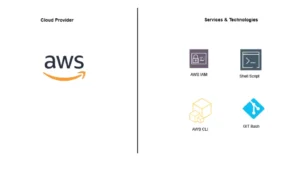
- Amazon EC2—Your cloud-based development machine
- IAM Role – Secure, keyless access to AWS services
- Microsoft Visual Studio Code – Your local IDE
- VS Code Remote – SSH extension – Connect seamlessly to EC2
This setup gives you complete control, better performance, enterprise-grade security, and zero browser limitations over your environment while keeping development close to your cloud resources.
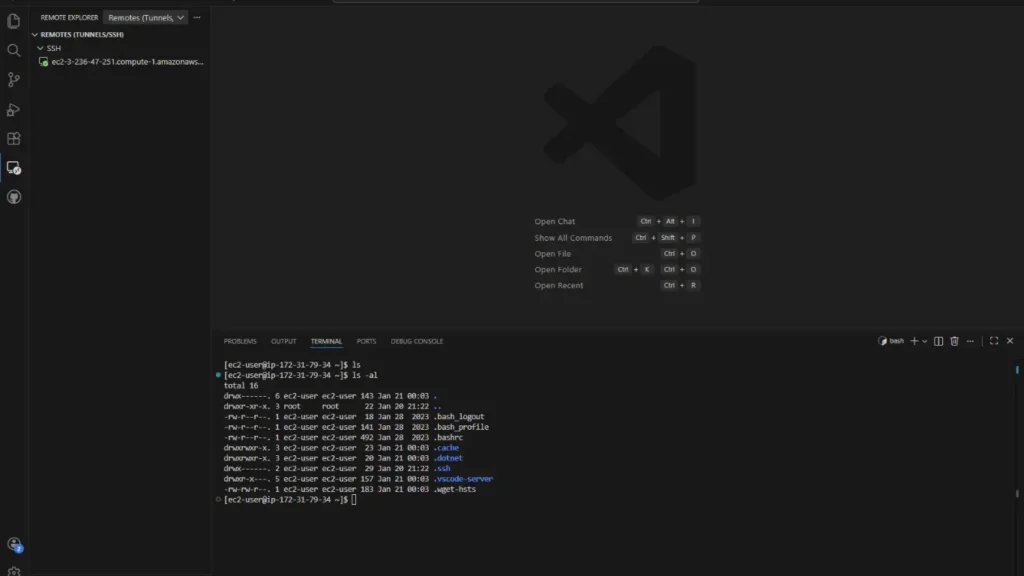
Architecture Overview of the Custom Cloud IDE
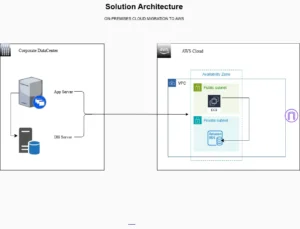
At a high level, the architecture is simple: you run your development environment on an EC2 instance, grant it permissions via an IAM role, and connect to it from your local machine via the VSCode Remote SSH extension. No browser. No access keys stored on disk. No limitations on tooling.
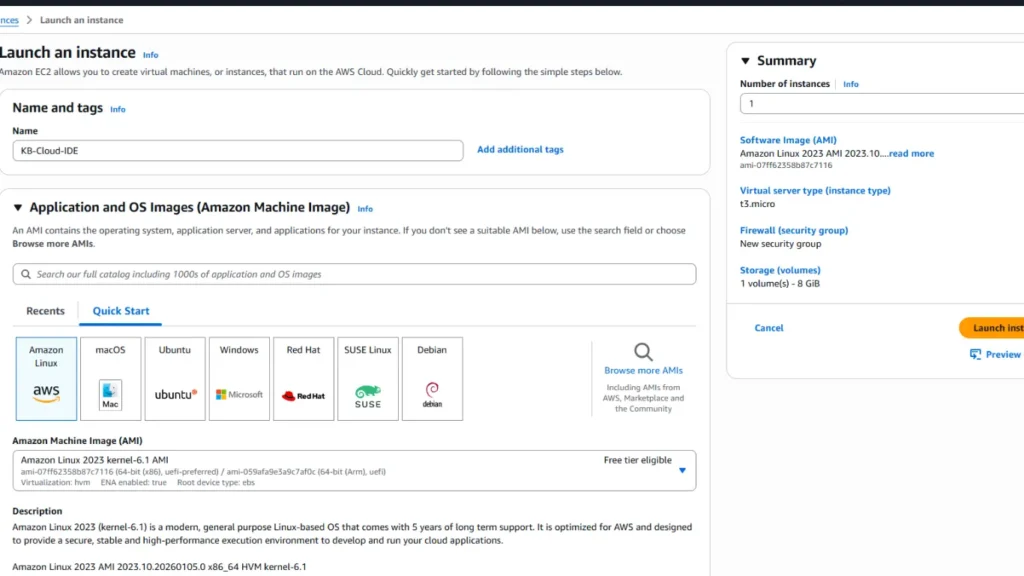
Step 1: Launch an EC2 Instance for Development
Start by creating an EC2 instance dedicated to development. This instance becomes the backbone of your custom IDE.
Recommended options:
- Instance types: t3.micro or t3.small for learning, t3.medium or higher for DevOps work
- OS: Amazon Linux 2023 or Ubuntu 22.04
- Security group: Restrict SSH access to your IP for security best practices
Step 2: Use an IAM Role Instead of Access Keys
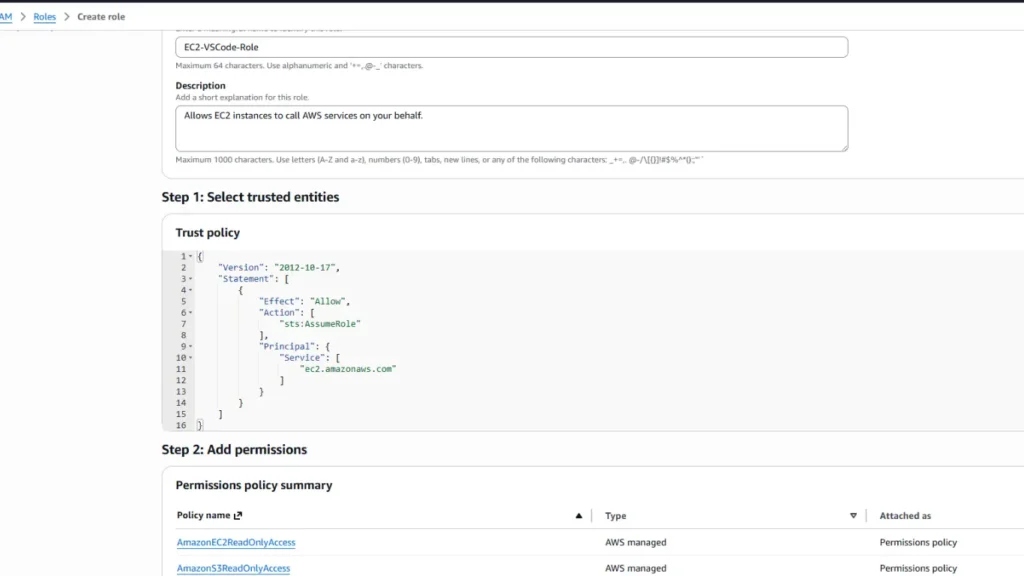
This is a critical security improvement over many traditional setups.
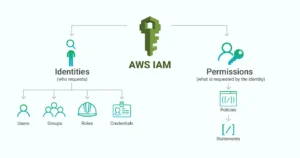
Attach an IAM role directly to the EC2 instance, grant only the required permissions (least privilege), and that’s where your security posture levels up. AWS automatically provides temporary credentials to the instance.
Your EC2 instance can now interact with AWS services securely, just like Cloud9 did, but better, with no hard-coded access keys, reduced risk of credential leaks, and AWS security best practices.
- Attach an IAM Role to the EC2 instance
- Grant only the permissions required (least privilege)
- Let AWS handle temporary credentials automatically
Step 3: Connect with VS Code Remote SSH
Next, install the Remote – SSH extension in VSCode on your local machine and connect to your EC2 instance.
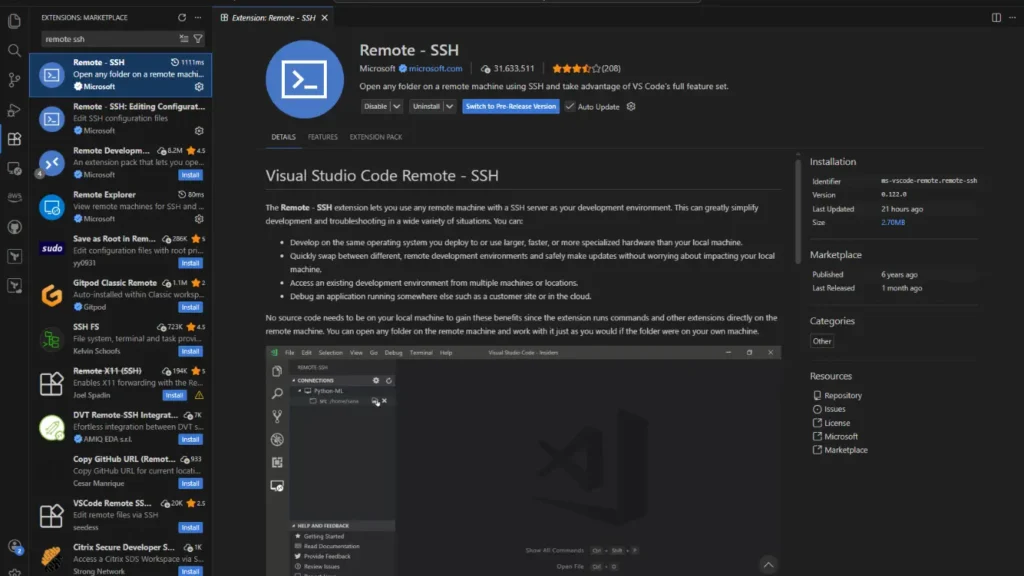
Once connected, VS Code installs a lightweight server on the EC2 instance and handles everything behind the scenes. You’re now coding inside AWS, with your machine, without a browser.
Conclusion
AWS Cloud9 served its purpose, but the future of cloud development clearly favors custom, flexible IDE environments. Creating your own IDE solution with EC2, IAM roles, and VS Code Remote SSH for complete control over your environment, best security practices, better performance, and tooling aligns perfectly with modern cloud and DevOps best practices.